Master + Node inside a DAW
See how session-level direction and track-level processing work together.
One Master. A Node on every track that needs it. Hear the relationships between tracks, make corrective changes and shape character — while keeping control of the result.
Apple Silicon · macOS 15+ · AU / VST3 · FREE / STUDIO / PRO
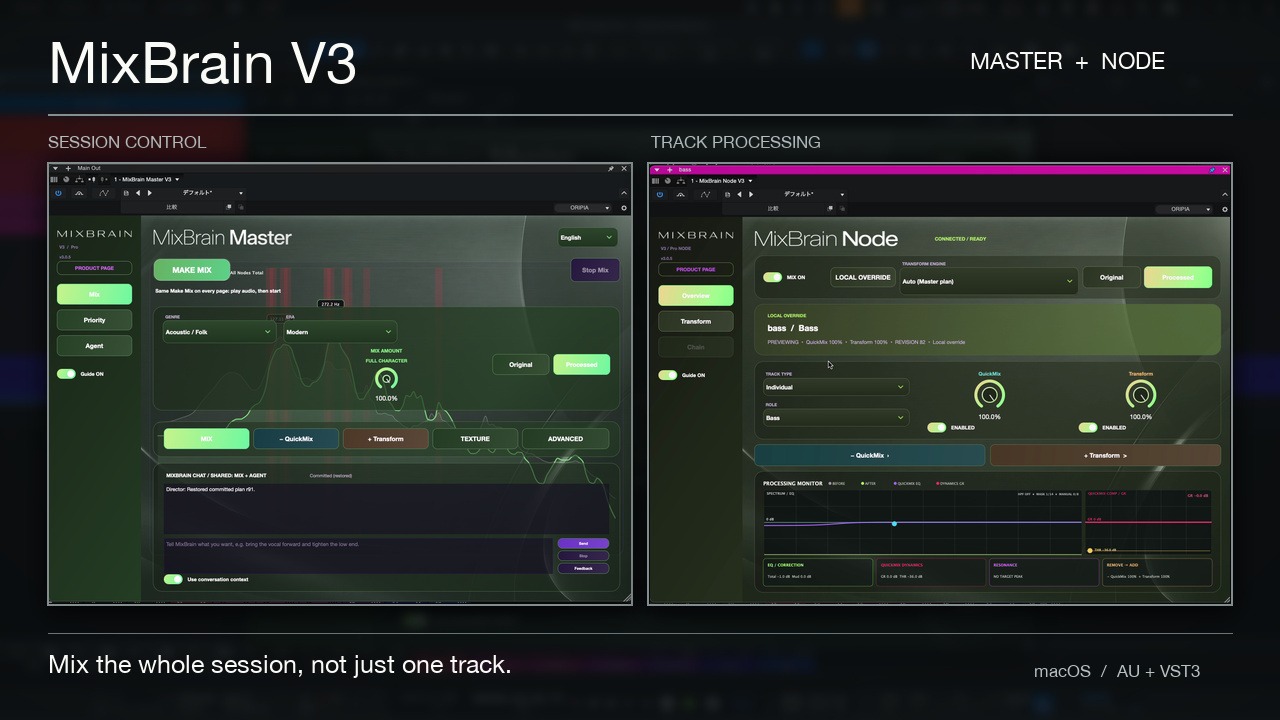
01 / WATCH THE ACTUAL PRODUCT
These are published MixBrain V3 videos with actual interfaces, not a simulated product. Compare at matched playback levels in your own session before purchasing.
See how session-level direction and track-level processing work together.
See the interface and the main processing workflow.
02 / TWO COMPLEMENTARY ENGINES
MixBrain separates corrective processing from creative tone shaping. Both are visible, controllable parts of the mix — not a mysterious one-button effect.
REMOVE WHAT GETS IN THE WAY
Corrective EQ, dynamics, resonance and masking decisions informed by the signal and its role in the whole mix.
BUILD THE SOUND YOU IMAGINE
Shape body, punch, clarity, width, depth and character through the internal processing chain, with Genre and Era context.
03 / THE WORKFLOW
From the first analysis to the final A/B, the workflow keeps the reason behind a change close to its controls.
LISTEN
Master reads the session-level picture while each Node measures its own track. Start with musical context, not isolated settings.
DECIDE
Role, Genre and Era help guide priorities. Describe what you want in natural language, or work directly with the controls.
SHAPE
QuickMix handles corrective work. Transform builds character. Compare original and processed, then refine by ear.
04 / THE ACTUAL PLUG-INS
Master directs the whole session. Node handles the detail on each track. Their interfaces share a visual language, with distinct colours for their different jobs.
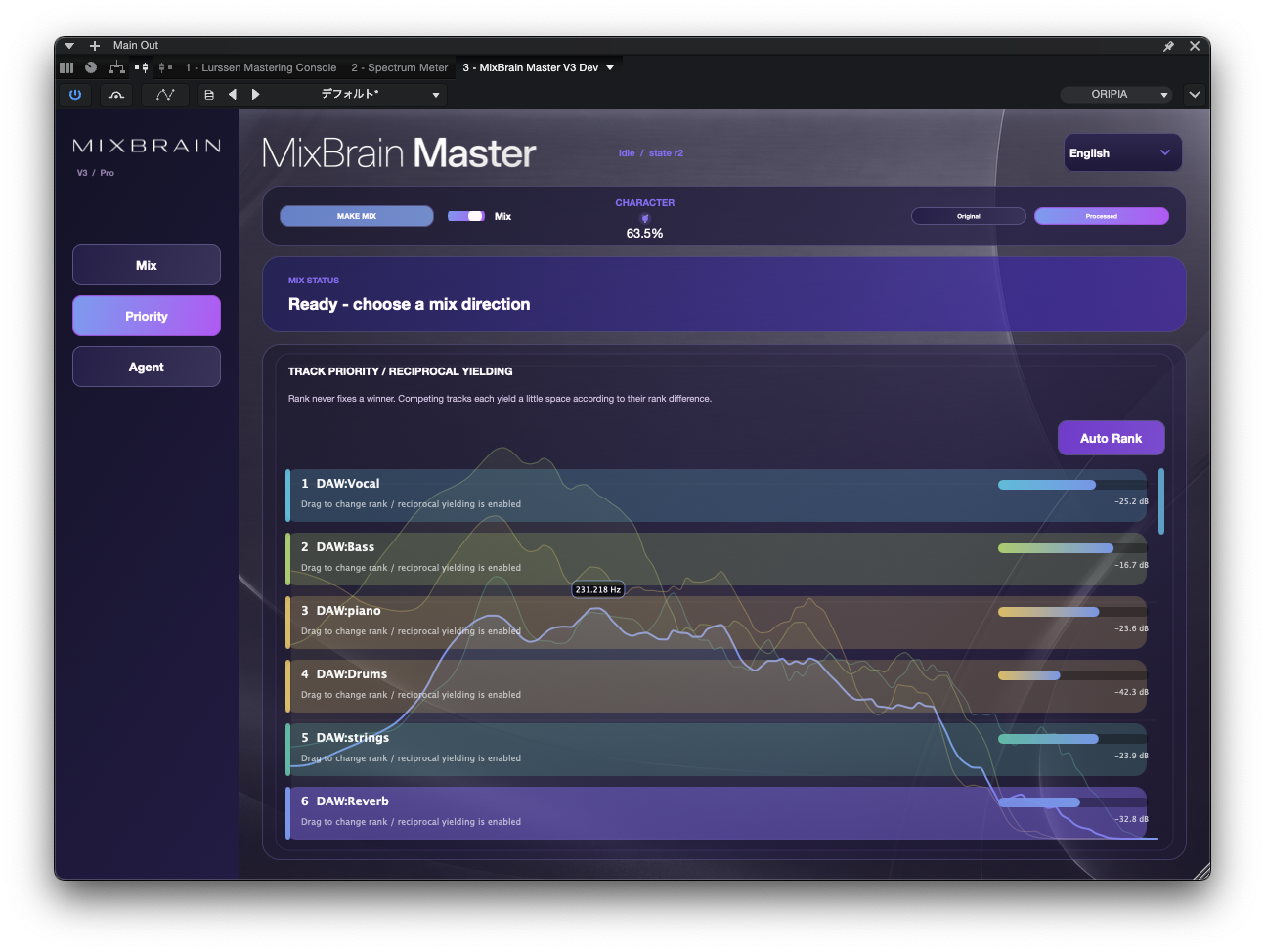
Set direction, manage priority and review the whole mix.
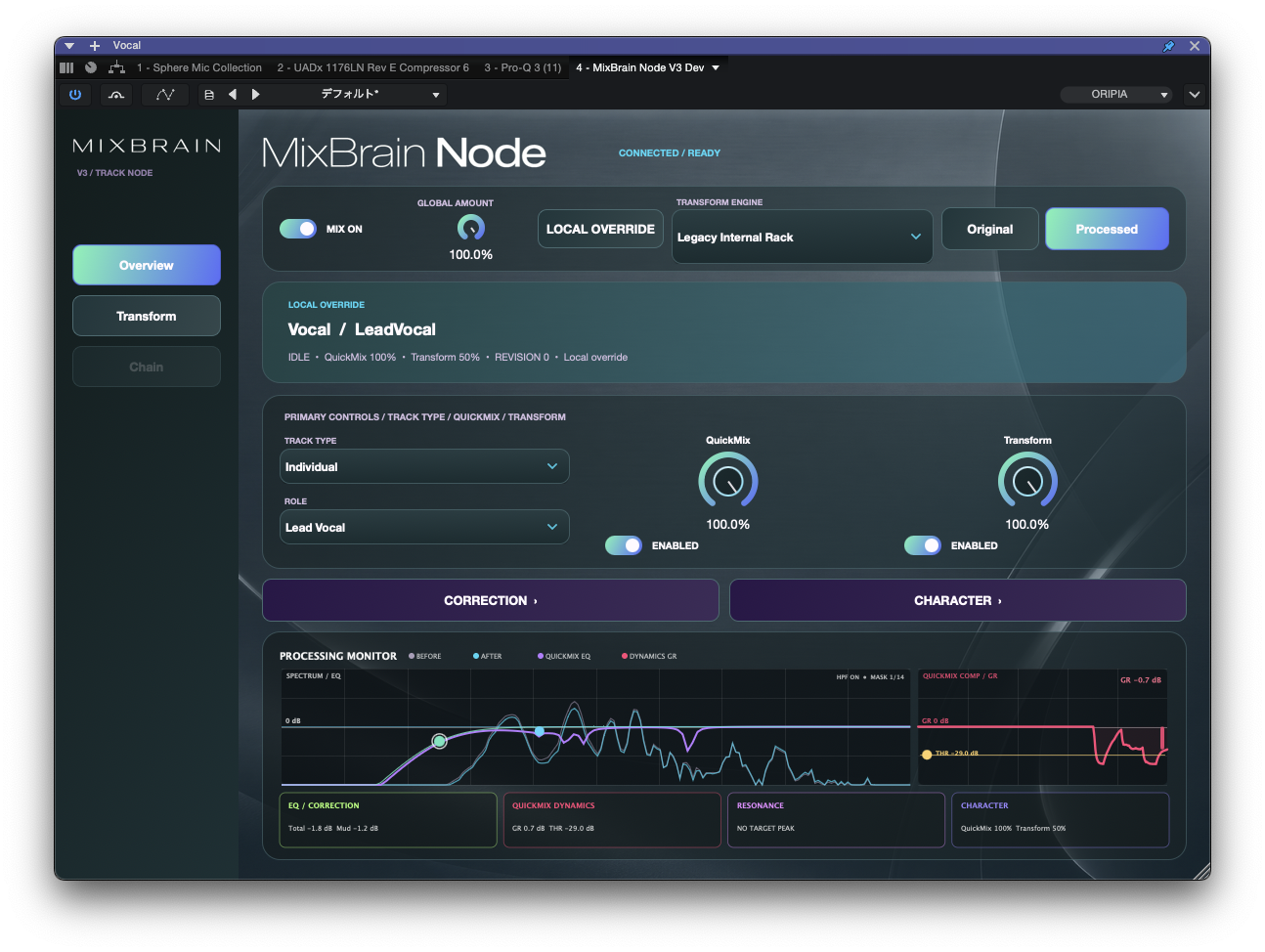
Understand and refine the processing on each connected track.
05 / CHOOSE YOUR EDITION
Start free or choose the Node capacity that fits your projects. All three editions include the core MixBrain V3 workflow.
No time limit. Core audio processing included.
A practical size for larger multitrack sessions.
Auto Rank, advanced masking views and deeper history.
Each edition button opens the official Gumroad product with that edition already selected; you can change it before checkout. USD prices shown are base prices, excluding any applicable tax or optional pay-more amount. Payment, receipt and delivery are handled by Gumroad; this website does not collect card details.
| Capability | FREE | STUDIO | PRO |
|---|---|---|---|
| Max connected Nodes | 8 | 32 | 128 |
| QuickMix + Transform engine | Included | Included | Included |
| 20-second analysis | Included | Included | Included |
| Local LLM / Mix direction | Included | Included | Included |
| Auto Rank, advanced masking views, deeper history | — | — | Included |
| Time-limited demo? | No | No | No |
MixBrain V3 currently ships for Apple Silicon Macs running macOS 15+ with AU and VST3. Windows and AAX are not included. Back up important sessions, and compare original versus processed at a similar listening level before committing any mix change.
FREE is fully usable within 8 Nodes. It does not use an intentionally lower-quality processing engine to force an upgrade.